
Scanner
The Scanner is one of Trustwards' core features. It automatically analyzes your website to detect all cookies and iframes in use, saving you hours of manual research and ensuring your consent management accurately reflects your site's data collection practices.
All your iframes, cookies and scripts injecting them, and their assigned categories are the ones found by the scanner.
What is the Scanner
The Scanner is an automated tool that crawls your website and identifies every cookie being set, every third-party script loading, and every iframe embedding external content.
The Scanner doesn't just detect cookies and iframes, it identifies them. Using an extensive database of known cookies, it automatically assigns categories to each script injecting them. If your site uses Google Analytics, for example, the Scanner recognizes cookies like _ga and _gid and categorizes them as Analytics without any manual work.
The need to have a Scanner
Managing cookie consent manually is nearly impossible. Modern websites often load dozens of third-party scripts, including analytics tools, advertising pixels, social media widgets, payment processors... each potentially setting multiple cookies. The Scanner eliminates guesswork by providing you with an accurate, up-to-date inventory of everything your website collects.
What happens after the scan
Once the scan completes, you'll see a comprehensive list of all detected scripts and iframes organized by category. This information is automatically used to:
- Populate your categories element with the categories detected.
- Update your categories and scripts that injects cookies and iframes to block non-functional cookies until users give consent.
- Re-generate the CDN script from Trustwards that powers your website.
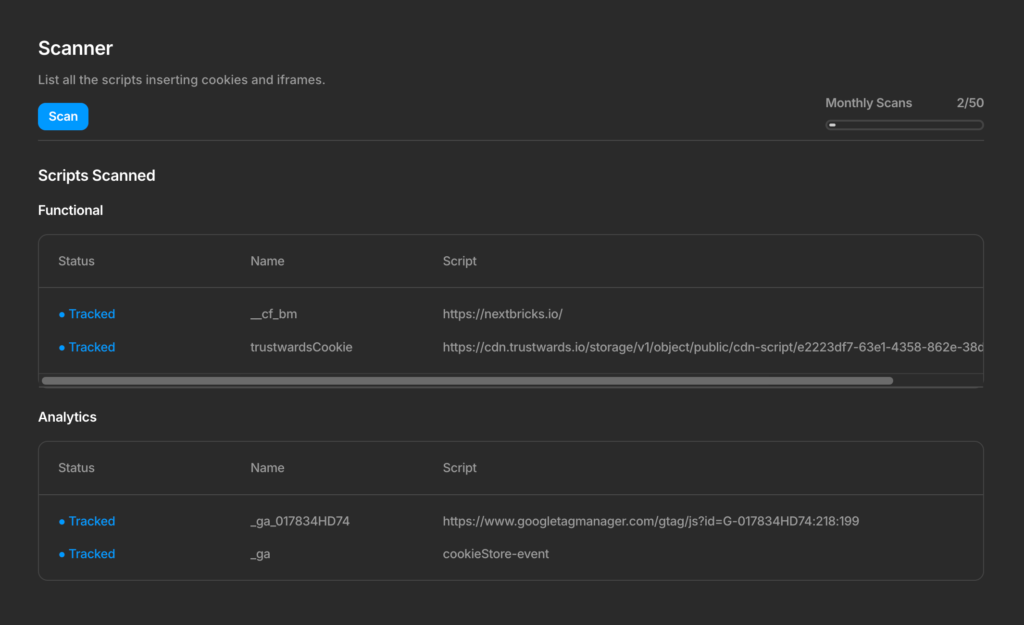
Track custom scripts
Trustwards has a large database of well-known scripts to automatically assign categories to all the scripts injecting cookies and iframes scanned on your website.
However, custom scripts are not recognized in our database, so they will be categorized as "Other" automatically. If they should belong to another category, you can declare the following attributes to your script tag depending on the category it should belong to:
data-tw-category="Functional"
data-tw-category="Analytics"
data-tw-category="Marketing"
How often is a scan done
A Scan should be done everytime your site changes. This doesn't include new styles, but adding an iframe, a third party, a plugin, a external script or a custom script injecting cookies.
You will be allowed to do a manual scan depending on your site's plan limits. However, if you forget about doing a manual scan, Trustwards will scan your website automatically every 4 hours.